BizTalk 2013 RTM – Installation and configuration issues I encountered and how to fix them
As most of you, I downloaded the final pieces of BizTalk Server 2013 as soon as it was available on MSDN. Once I downloaded it, I decided to setup a clean BizTalk 2013 Development Machine. This post will highlight the issues I encountered during installation and configuration and how I resolved them.
First of a brief highlight of my machine (Single-Server) configuration
- Windows Server 2012
- SQL Server 2013
- One instance for BizTalk MessageBoxDb
- One instance for all other BizTalk databases
- Visual Studio 2012
- BizTalk Server 2013
- Server Memory 8GB
- Disk Space 40Gb
Below the issues I encountered and how I resolved them.
Issue #1: Installing BizTalk Server
Error encountered: Missing file 'MSVCP100.dll'Resolution
- Download and install Microsoft Visual C++ 2010 Redistributable Package (both x64 as x86)
Issue #2: BizTalk Configuration – BAM Tools
Error encountered: Could not install BAM ToolsResolution
- install SQL Server 2005 Notification Services x64 - http://download.microsoft.com/download/4/4/D/44DBDE61-B385-4FC2-A67D-48053B8F9FAD/SQLServer2005_NS_x64.msi x86 - http://download.microsoft.com/download/4/4/D/44DBDE61-B385-4FC2-A67D-48053B8F9FAD/SQLServer2005_NS.msi
- set up database to use database-mail
- configure BAM Alerts
Issue #3: BizTalk Configuration – BAM Portal
Error encountered: Could not install BAM Portal -> error with regards to "BAM Management Web Service User" Error thrown: "Attempted to read or write protected memory. This is often an indication that other memory is corrupt." Actual exception: Log indicated 'Cannot alter the role 'NSSubscriberAdmin', because it does not exist or you do not have permission.'Resolution
- Manually Add NSSubscriberAdmin DatabaseRole to BAM Alert Application Database
END Result
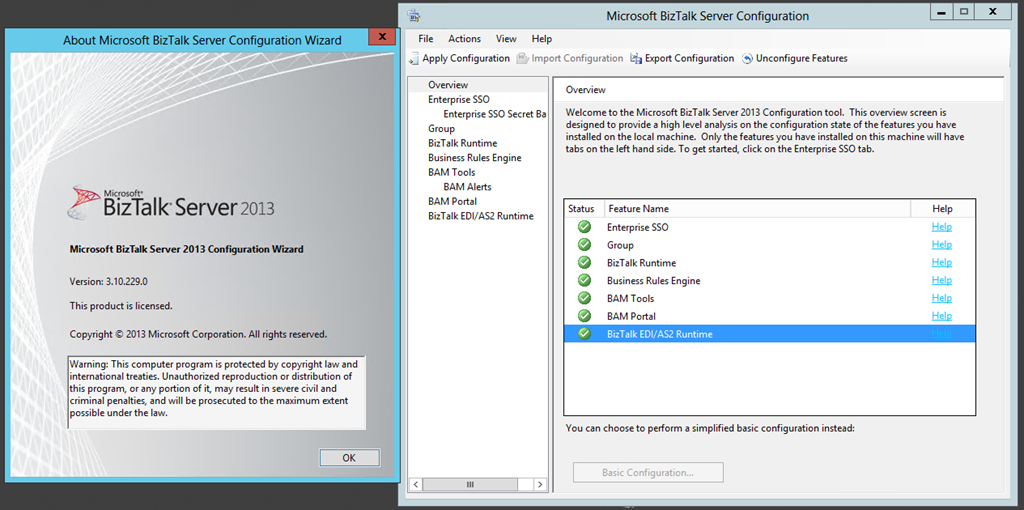
Well this was a quick post, but I hope that it might help you out; if you encounter the same issues
Cheers
René